
Published: December 6, 2025
apidata-sourcesautomation
Instant overview
You can now attach any REST API as a reusable data source. Agents execute the request on demand, reuse the answers in conversation, and persist key fields to your CRM or database without manual copy-paste.
Where it shines
Car marketplaces
- Pull current listings for a model and show price trends.
- Example: query
{{request}} = "Tesla Model Y 2024"against your inventory API, auto-fill VIN and mileage into the chat reply, then send the same payload into the lead card.
Real-estate portals
- Fetch last 10 apartments that match a client brief and highlight mortgage-ready options.
- Example:
{{request}} = "2-bedroom, Moscow City"returns structured JSON; the agent extracts price, floor, and contact link for the buyer.
E-commerce catalogs
- Search thousands of SKUs in supplier APIs and surface availability plus ETA.
- Example: connect a wholesaler API, so queries like
"gaming laptop RTX 4070"produce spec tables and push the SKU into the order form.
How to connect it in the UI
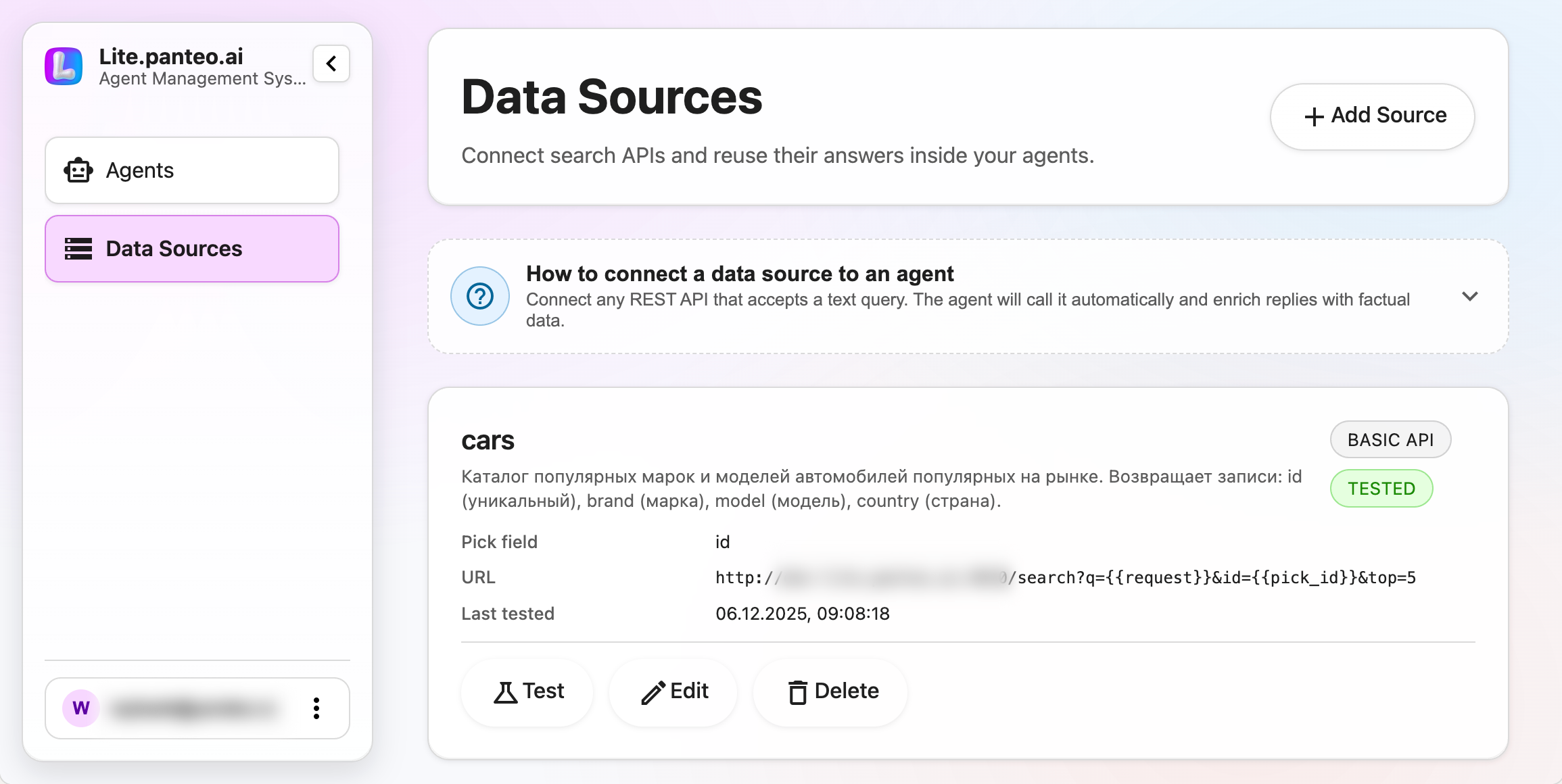
- Create a data source in Dashboard → Data Sources → Add Source. Pick Basic API.
- Describe the request:
URL template: include{{request}}placeholder, e.g.https://api.example.com/search?q={{request}}.Headers template: addAuthorization: Bearer {{token}}when you want to reuse the stored secret.Request body: for POST APIs, paste JSON with{{request}}/{{token}}placeholders.
- Model the response:
- Provide the JSON Schema so the agent knows the shape.
- Set
Pick fieldto the unique identifier (e.g.idorvin).
- Test the API with the built-in runner. Use a sample query like “electric SUV under $40k”.
- Attach to an agent:
- Open the agent → Form fields → add a field named
cars(source)(replacecarswith your source name). - Select the new data source. The agent now calls it automatically when it needs that context.
- Open the agent → Form fields → add a field named
- Send data to your systems by enabling integrations (Bitrix24, email, Telegram). The response fields flow into those triggers exactly as they appear in the schema.
With this release the marketing team gets shareable articles, SEO-ready pages, and the product team gets a repeatable way to add more APIs without engineering bottlenecks.
Related articles
- Learn how to send this data directly into your CRM in CRM integrations that deliver ready-to-work leads.
- See how the assistant stores answers from these APIs in the Q&A knowledge base for consistent answers.
- Track every contact created from API-powered replies in Lead management with full dialog history.